

DMZ / GUIDE
3D Printer and resource planning
Unlock recipes, distinguish Resources from intact Ingredients and calculate the material shortfall.
Choose a recipe you can access
Crafting
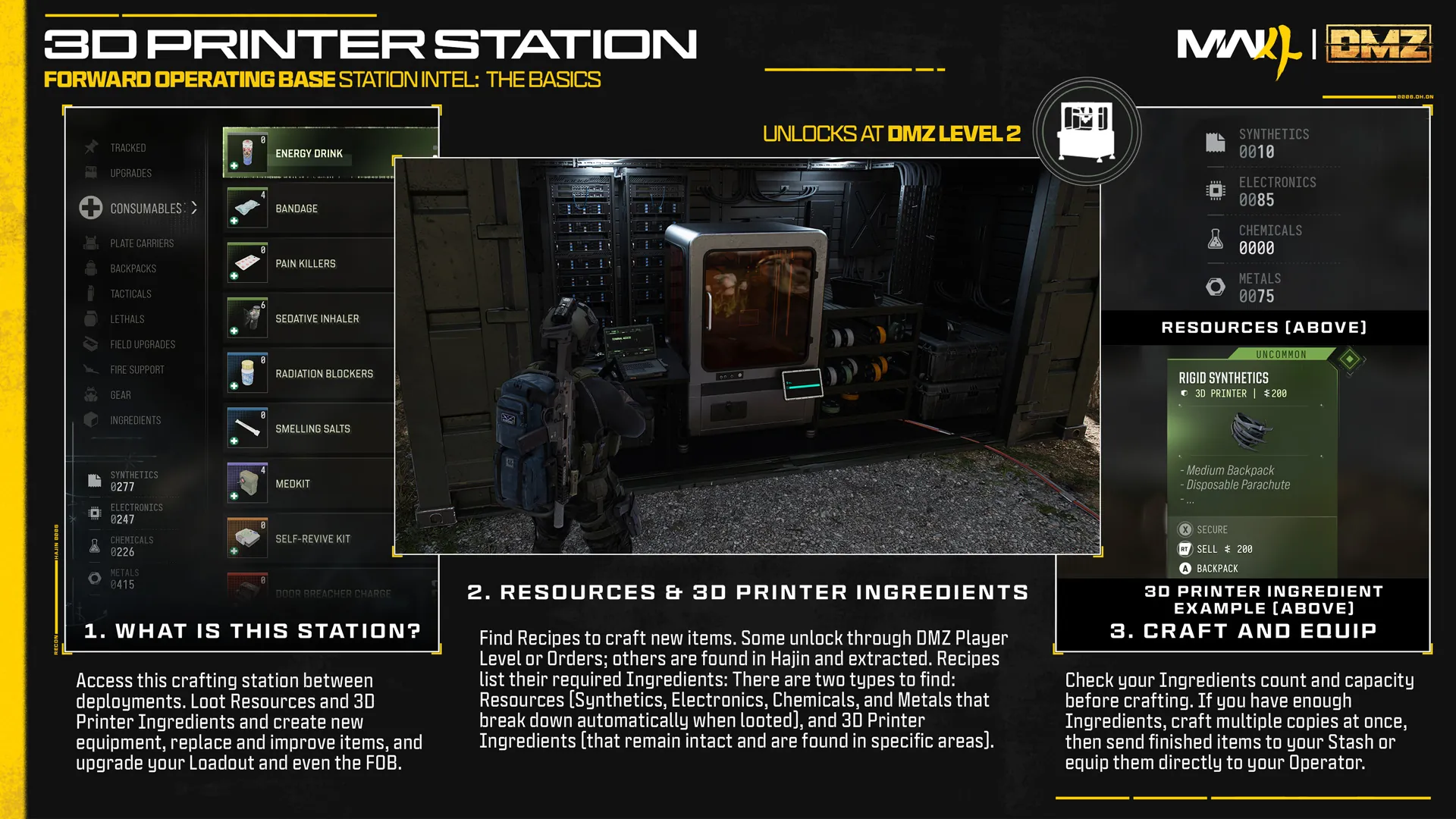
The 3D Printer creates equipment and supports FOB upgrades. Recipes unlock through progression or by extracting them from Hajin. Printer access is inconsistently published: level 2 in the FOB text and level 1 in progression artwork.
In practice
Check the current station before planning an unlock. A WDguide recipe record does not establish that your account can already print it.
Explore: Choose a recipe you can access
Useful links
Keep the two material groups distinct
Materials
, , and are basic Resources collected into separate totals. Other Printer Ingredients remain intact and need to be brought home for later use.
In practice
A recipe can require both groups. A large Resource total does not replace a missing intact Ingredient, and similar-looking ingredient names are not interchangeable.
WDguide advice
Explore: Keep the two material groups distinct
Use the recipe’s ingredient hints
Materials
The Printer provides ingredient information and search hints. Treat them as leads for the type of place to inspect, rather than fixed spawn guarantees.
In practice
Pin materials that matter to the project. Compare the route in our Interactive Map, while confirming current activities, threats and container availability in the game.
WDguide advice
Explore: Use the recipe’s ingredient hints
Useful links
Compare requirements with what you own
Materials
Select a recipe, set the number of copies and enter owned materials in the Workbench. Recorded requirements are multiplied by copy count, then holdings are subtracted to show the remaining amount.
Carrying space
The starter table supplies 25 plus 25 for a or 1-Plate Vest; 50 plus 5 for a ; and 50 plus 5 for a 2-Plate Vest. Other incomplete recipes still retain unknown quantities. The planner does not read your inventory or infer unlisted cash fees.
WDguide advice
Explore: Compare requirements with what you own
Useful links
Choose equipment or a lasting upgrade
Carrying space
Printing supplies consumables, armor, backpacks and other equipment, as well as FOB improvements. Send finished equipment to storage or equip it through the game’s Printer controls.
Materials
Compare immediate survival needs with longer-term spending. An upgrade that consumes your last useful ingredients can make the next loadout difficult to replace.