

DMZ / GUIDE
Orders and operations
Read persistent Orders, choose a deployment activity and keep the squad focused on returning.
Read the whole Order before departing
Carrying space
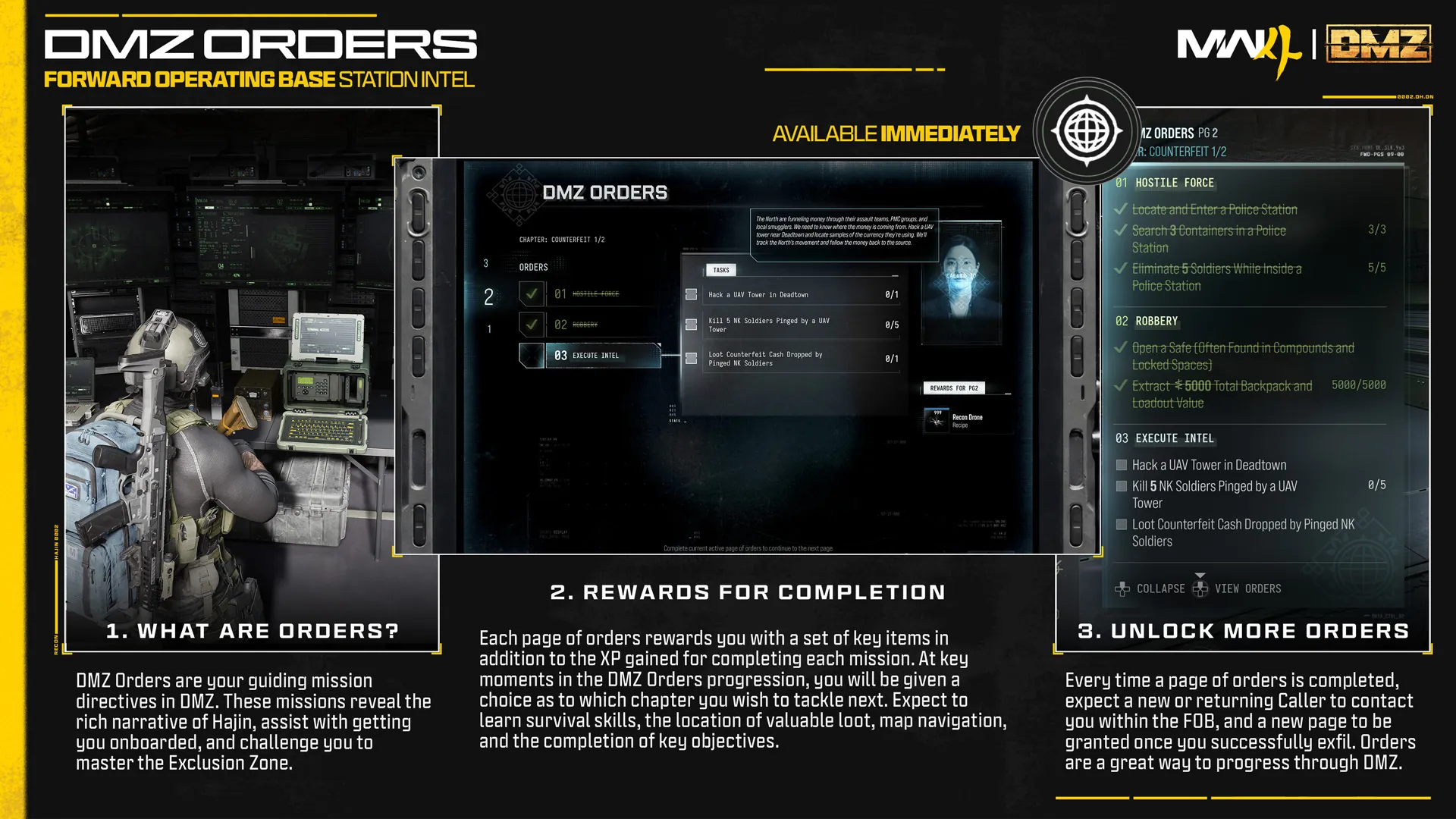
Orders provide persistent directives at the FOB, organized into pages. Read objective wording, location conditions and rewards before choosing equipment. Searching, carrying and extracting an item are different requirements.
Objectives
Our journal currently contains published example Orders. It is a personal reference and progress record, not a complete launch quest list or a connection to your account.
WDguide advice
Explore: Read the whole Order before departing
Useful links
Choose the deployment activity deliberately
Objectives
The deployment menu separates Story Missions, Dynamic Operations and Free Roam. Choose the approach to Hajin that fits your objective and equipment.
In practice
An Order and the activity selected for deployment are not interchangeable. Read both briefings and check that the planned run can satisfy the condition you care about.
WDguide advice
Explore: Choose the deployment activity deliberately
Reassess before accepting another activity
The essentials
Dynamic Operations can be selected before deployment or started through a Dynamic Ops phone in Hajin. They provide an activity within the current run, alongside other opportunities.
Materials
Before changing direction, check the squad’s location, supplies and return route. A nearby activity can still pull you away from materials or conditions needed for the original goal.
WDguide advice
Explore: Reassess before accepting another activity
Extract and confirm the result
Objectives
Read the completion screen and journal after the run. Offload retained quest or crafting supplies into the right place before preparing another loadout.
Reviewing the result
Keep browser progress consistent with the result shown by the game. If an objective failed, reread its condition before repeating the same route with more expensive equipment.